Wormy Cursor
Add a fun mouse animation to your Webflow site via this JS code snippet. The worm will follow the mouse on the canvas of your Webflow site as a user navigates your site.
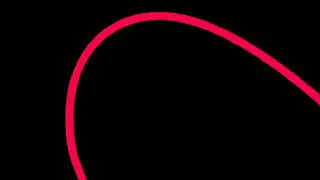
Add a fun mouse animation to your Webflow site via this JS code snippet. The worm will follow the mouse on the canvas of your Webflow site as a user navigates your site.
How to add it
- Add the javascript snippet to the closing body tags
- Look at code notes for areas that can be updated, such as strokeColor, strokeWidth, and more
The code
Javascript
                      <script type="text/paperscript" canvas="myCanvas">

    // Adapted from the following Processing example:
    // http://processing.org/learning/topics/follow3.html

    // The amount of points in the path:
  	var points = 25;

    // The distance between the points:
    var length = 45;

    var path = new Path({
      strokeColor: '#F40747',
      strokeWidth: 12,
      strokeCap: 'round'
    });

    var start = view.center / [10, 1];
    for (var i = 0; i < points; i++)
      path.add(start + new Point(i * length, 0));

    function onMouseMove(event) {
      path.firstSegment.point = event.point;
      for (var i = 0; i < points - 1; i++) {
        var segment = path.segments[i];
        var nextSegment = segment.next;
        var vector = segment.point - nextSegment.point;
        vector.length = length;
        nextSegment.point = segment.point - vector;
      }
      path.smooth({ type: 'continuous' });
    }

    function onMouseDown(event) {
      path.fullySelected = true;
      path.strokeColor = '#F40747';
    }

    function onMouseUp(event) {
      path.fullySelected = false;
      path.strokeColor = '#F40747';
    }

  </script>


<script src="https://cdn.jsdelivr.net/particles.js/2.0.0/particles.min.js"></script>
<script type="text/javascript">

particlesJS("particles-js", {

"particles":{"number":{"value":60,"density":{"enable":true,"value_area":800}},"color":{"value":"#ffffff"},"shape":{"type":"circle","stroke":{"width":0,"color":"#000000"},"polygon":{"nb_sides":5},"image":{"src":"img/github.svg","width":100,"height":100}},"opacity":{"value":0.25,"random":false,"anim":{"enable":false,"speed":1,"opacity_min":0.1,"sync":false}},"size":{"value":3,"random":true,"anim":{"enable":false,"speed":40,"size_min":0.1,"sync":false}},"line_linked":{"enable":true,"distance":150,"color":"#ffffff","opacity":0.3,"width":1},"move":{"enable":true,"speed":3,"direction":"none","random":false,"straight":false,"out_mode":"out","bounce":false,"attract":{"enable":false,"rotateX":600,"rotateY":1200}}},"interactivity":{"detect_on":"canvas","events":{"onhover":{"enable":true,"mode":"repulse"},"onclick":{"enable":true,"mode":"push"},"resize":true},"modes":{"grab":{"distance":400,"line_linked":{"opacity":1}},"bubble":{"distance":400,"size":40,"duration":2,"opacity":8,"speed":3},"repulse":{"distance":200,"duration":0.4},"push":{"particles_nb":4},"remove":{"particles_nb":2}}},"retina_detect":true});var count_particles, stats, update; stats = new Stats; stats.setMode(0); stats.domElement.style.position = 'absolute'; stats.domElement.style.left = '0px'; stats.domElement.style.top = '0px'; document.body.appendChild(stats.domElement); count_particles = document.querySelector('.js-count-particles'); update = function() { stats.begin(); stats.end(); if (window.pJSDom[0].pJS.particles && window.pJSDom[0].pJS.particles.array) { count_particles.innerText = window.pJSDom[0].pJS.particles.array.length; } requestAnimationFrame(update); }; requestAnimationFrame(update);;

</script>