Reduced motion media query
The ability to hide and show elements on your Webflow site based on if a user has reduced motion activated in their operating system. Adding this Javascript code helps with accessibility by hiding and showing elements based on the users predefined OS…
The ability to hide and show elements on your Webflow site based on if a user has reduced motion activated in their operating system. Adding this Javascript code helps with accessibility by hiding and showing elements based on the users predefined OS accessibility settings.
How to add it
- Add the CSS to your Global Style sheet or custom code settings in the header section
The code
CSS
                      # Prefer reduced motion media query

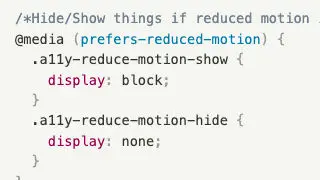
```css
/*Hide/Show things if reduced motion is on in persons OS*/
@media (prefers-reduced-motion) {
  .a11y-reduce-motion-show {
    display: block;
  }
  .a11y-reduce-motion-hide {
    display: none;
  }
}
```