Skip Link Accessibility
Add accessibility features to your Webflow site by allowing to skip links with the keyboard only. Skip links allows keyboard navigation or screen readers to jump past the site navigation quickly. This allows for better accessibility for your Webflow sites.
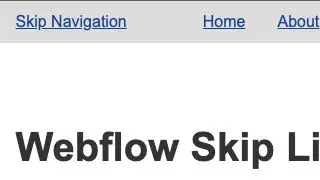
Add accessibility features to your Webflow site by allowing to skip links with the keyboard only. Skip links allows keyboard navigation or screen readers to jump past the site navigation quickly. This allows for better accessibility for your Webflow sites.
How to add it
- Create a link as the first child of your header element. Give this element an ID, for example skip-link
- Add an ID to your main content section. This is usually the first area after the navigation such as an H1 or section area. For example, skip-target
- In your skip-link settings connect it to a page section within Webflow designer
- Add the Javascript code to your closing body section of your pages custom code
The code
Javascript
                      <!-- Add to closing body -->
<script>
  document.getElementById('skip-link').addEventListener('click', function(e) {
    e.preventDefault();
    var target = document.getElementById('skip-target');
    target.setAttribute('tabindex', '-1');
    target.focus();
  });
</script>