International Flags Phone Number Input
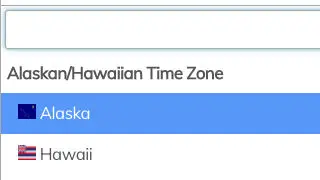
Add international flags to a phone number for input in Webflow. Adding this allows for a unique way of adding international flags to a phone form field in your Webflow site.

Add international flags to a phone number for input in Webflow. Adding this allows for a unique way of adding international flags to a phone form field in your Webflow site.
How to add it
- Add the HTML code to the head section of your pages custom code
- Add the script to the closing body tag of your pages custom code
The code
Javascript
                      <!-- Add to closing body -->
<!--International Phone Number Input-->
<script src='https://cdnjs.cloudflare.com/ajax/libs/intl-tel-input/9.0.6/js/intlTelInput.js'></script>
<script id="rendered-js">
  var input = $(".int-phone");

  input.intlTelInput({
    utilsScript: "https://cdnjs.cloudflare.com/ajax/libs/intl-tel-input/9.0.6/js/utils.js" });

  input.on("change", function () {
    input.intlTelInput("setNumber", input.val());
	});
</script>
HTML
                      <!-- Add to head section -->
<!--International Phone Input Library-->
<link rel='stylesheet' href='https://cdnjs.cloudflare.com/ajax/libs/intl-tel-input/9.0.6/css/intlTelInput.css'>
<link rel='stylesheet' href="https://jackocnr.com/node_modules/intl-tel-input/build/css/demo.css?3">
<style>
	.intl-tel-input {
  	display:block;
  }
  .intl-tel-input.allow-dropdown .flag-container {
    height: 36px; /*should match the height of your input field*/
    bottom: 0;
    top: auto;
	}
</style>