


Discover Webflow cloneables
The best Webflow cloneables for your Webflow sites. Find what you're looking for faster with instant search.


Add a dynamic indicator to let your users know how far down the page they've scrolled via this interaction on your Webflow site.


Here's a unique test/experiment to create an advanced LED display hover effect in Webflow. This is a great demonstration of what you can build with Webflow interactions and may lead to some. inspiration for future Webflow project builds.


Want to use Tabs with Webflow sliders to show off your products? This cloneable allows you to showcase a variety of products via tabs with sliders on each internal tabbed results. A great way of displaying a large number of products in a small area.


A fun way of adding a 3D interactive Figma logo button to your site.


A card interaction that displays additional information upon click in Webflow. This interaction was built entirely with Webflow's native interactions and requires no additional code. When a user clicks on the card the image reduces size and zooms out while the text information of the card appears.
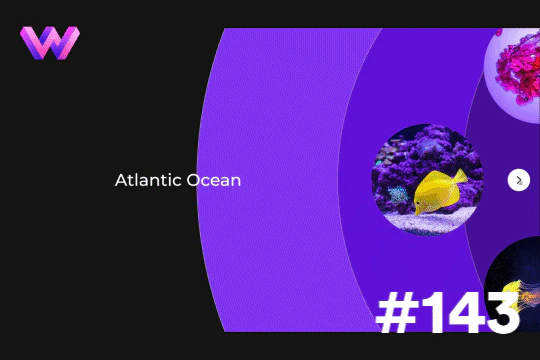
Add a unique circular slider to your Webflow hero. This demo showcases a circular slider with animated panels via the background. These panels were created in Adobe After Effects and triggered via a slider element within Webflow. The main slider is also linked to a secondary slider that showcases the text. The sliders were then linked together via custom code.


Not just another vertical CMS marquee, this one is powered by GSAP and provides extra functionality. The vertical marquee provides a constant infinite loop of text. As the word comes into view a second text area updates to showcase the relevant text for the primary looping marquee text. A great example of utilizing GSAP to add increased functionality to an otherwise normal marquee. This also utilizes a bit of CSS so be sure to not overlook that when you are adding this to your site. You can customize the script to your liking and increase or decrease the number of items visible and the speed of the looping.

.webp)
An automatic logo marquee created with Webflow interactions. This cloneable allows you to easily add an infinite logo marquee/scrollable to your Webflow site. This relies on Webflow interactions and can be customized to your specifications. Simply adjust the logos and then update the Webflow interaction based on your needs and the number of logos that you have. You can also adjust the speed at which this works by updating the duration time from 30s to your own choosing within the Webflow interaction.

A beautiful example of a horizontal slider created with GSAP for Webflow. As the user scrolls through the site it smoothly transitions to a horizontal slider. This slider was built using GSAP & ScrollTrigger.js and you can find the custom code in the page settings. This is not setup to use Webflow CMS although it could be modified if you have an understanding of GSAP and code. The horizontal scroll can be modified to adjust the scaling of the image, rotation and much more. Be sure to check out this horizontal slider if you're looking to implement a GSAP variation on your Webflow site.

Here's a hover effect that adds a border and lines around a logo in Webflow. This effect was achieved by setting the border color to transparent on the initial state and then changing it on the hover state. Lines were placed with a width of 15px and a height of 3px. In interactions it was scaled from 0 to 1 on the x and y axis for the horizontal and vertical lines. To reduce the number of interactions required a class was created for the corner horizontal and vertical lines. Then a combo class was dded and placed the lines in the different corners around the logo. This allowed the use of only two interactions for the horizontal and vertical lines.

Another demonstration of Webflow's new blending and backdrop filters. Here you can see hue, screen, hard light, color, color dodge, difference, multiply, and overlay blending and background filters in action in Webflow. A clean way to quickly demonstrate the different affects that blending and backdrop can have on images and items on a Webflow site.


A pricing/quote calculator slider built with custom Javascript for Webflow. Here's a great way to add a custom pricing quote with a slider and forms to create an accurate pricing quote for your clients in Webflow.


Want to add a copy to clipboard button in Webflow? Here's a way to create a copy to clipboard button that will copy any piece of text that you want, including links, to the clipboard. This is great when you want to allow your users to copy blocks of text, URLs, or even color codes in a styleguide.


Here's an interaction to shrink the navigation/menu on page scroll for your Webflow site.
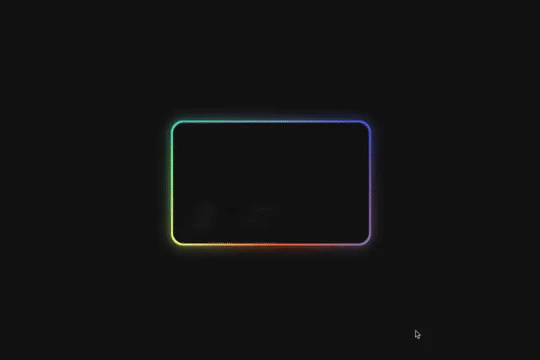
Here's a way of creating a glowing, 3D hover card effect in Webflow. When a user hovers over the card the card creates a 3D effect with a gradient outline, another interaction is added to show a 3D rotating reflection. All of this was created with Webflow interactions and zero custom code.


A responsive, full-screen, Vimeo video embed in the background of the site on Webflow. Please note that you need to visit Webflow's cloneable page of this item to preview it. Change out the video link in the video-embed element nested in the video-wrap div.
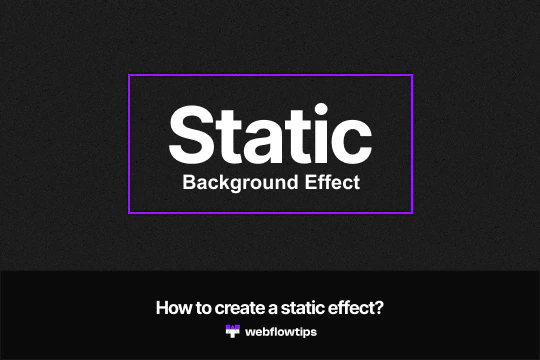

Want to add a static TV background effect to your Webflow site? This effect was created in Webflow using only an image and an animation to achieve the effect. There's no custom code or any other trickery going on other than Webflow's native interactions and designer.


A methodology to create a variable font based on the mouse movement on a Webflow site. This technique relies on custom CSS and JS for this to work which can be found in the HTML embed of the site. A good demonstration of creating dynamic variable fonts in Webflow.


Here's a wonderfully designed full section testimonial slider for Webflow. Each slide has it's own transitions as well as custom slider arrows using Webflow's native slider. Perfect for adding a testimonial section to your Webflow site.


A simple but unique text link hover animation powered by Splittext.js, CSS and custom Javascript. When a user hovers over a text link the letters produce a splitting animation in which every other letter moves in alternating directions. There's also a sound effect that plays that's simple yet effective. This cloneable also features a mouse gesture in which a ball follows the mouse cursor location, when hovering over the text link the ball increases in size and then appears appears to text mask and invert the colors of the text that it's hovering over. If you plan on using this cloneable keep in mind that you'll need to add the custom CSS found in the custom code page settings as well as the Splittype.js script. The splittype.js script can be modified and relies on the css class .menu-link in this example. You can also customize and define the audio files in the script, although keep in mind that you'll want to host these externally. The cursor effect is built with Webflow's native interactions using Mouse click interactions.


A unique interaction in which a different image is shown based on the cursor location on the Webflow site. This effect was created entirely from Webflow's native interactions and requires no custom code. A great example of thinking outside of the box, integrating the use of a grid design to trigger the hidden images based on mouse over trigger events.
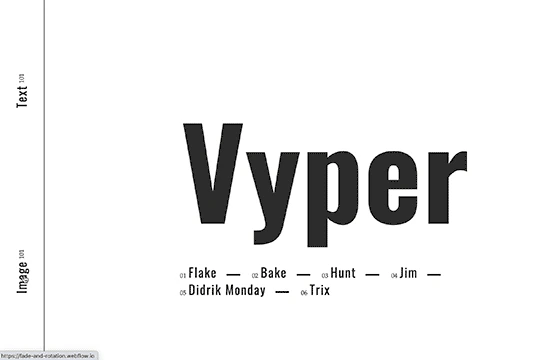

Here's a fade and rotate page transition for your Webflow site. This transition occurs using a small snippet of custom code that allows the transition to happen.


Three modern author/bio box designs for Webflow. Easily add a customized, modern author bio box to your Webflow site with one of these three premade layouts that are responsive and well designed.


A horizontal scrolling timeline of events driven by Webflow CMS. You can navigate through the timeline both vertically (below) and horizontally. Both lists stay in sync. The vertical section shows more notes and links regarding the timeline events. This timeline is CMS driven and there are two collections, one for the events and one for the categories of each events. Each year of the timeline is made out of one collection list. There is more info on how this works at the bottom of the page, specifically how the CMS and CSS calc work. This could be great for about pages, client timeline pages, and much more.


A steps section design for your Webflow site with unique scroll animations/interactions. Here's a unique cloneable that's ready to be added to your Webflow site perfect for a steps section portion of your site.


Add a character count to an input field on your Webflow site. This is perfect for creating limitations or showing the character count of an input field.


A fun way to have an animated, cursor following dog animation on Webflow. This is driven fully by div elements and a bit of CSS and JS to make the magic happen.
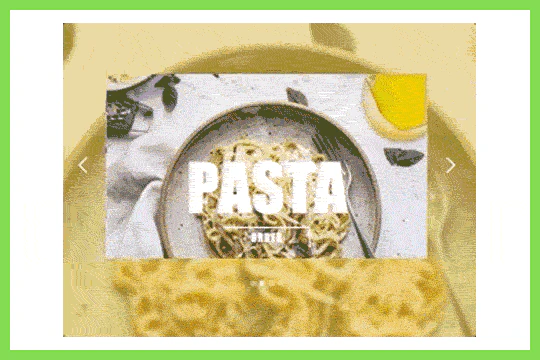

A unique slider interaction that changes the slide and the pages background image upon each transition in Webflow. A fun way of creating a hero section that adds a level of dynamic flair to your Webflow site.

An implementation of Locomotive.js smooth scroll in Webflow that includes position fixed, sticky and CSS interactions. Utilizing Locomotive.js smooth scroll allows for some unique interactions and scroll effects. You can find the script within the custom code page settings. Here you can modify the smoothing, mobile smoothing, tablet settings and the multiplier applied. You can set the time frame and for the ability to use anchor texts between sections of your site. Add a unique smooth scrolling effect to your Webflow site today by taking advantage of Locomotive.js


A unique 3D depth of field native Webflow interaction. As a user scrolls through this section the images come towards you from the back of the page. This technique was built using only Webflow interactions and does not use any extra custom code or HTML embeds. This Webflow interaction utilizes the While scrolling in view trigger, it then moves the Z property from 0 to 250 rem. Each individual item also has an opacity and filter applied to it as it's scrolled into the view. A well thought out and unique Webflow interaction that will surely impress your visitors.

Showcasing Webflow's new blending and backdrop features. This demonstration cloneable shows off how text hover effects behind Backdrop blur and blend effects in Webflow. In this example text behind backdrop blur shapes showcase the effects colored linear gradients and shapes with no color gradients and the effects of text behind with hover effects. This technique uses a bit of CSS to create the text outline and hover effects.

Another cloneable pricing component created by Flowbase. This version includes tabs for three different variations of pricing.


Three different advanced modal examples for your Webflow sites. Automatically adds scrollbar if the content exceeds the maximum height of the page/modal. Also features modal with the scroll the complete modal height, scroll the content within the modal, and ability to lock the background if you happen to scroll outside of the modal window.

A demonstration of how to create a magnify on hover image effect on Webflow. This is built entirely with interactions and requires no custom code. Please note that this method only works on desktop and will not provide the zoom effect on mobile.

Showcase and feature your CTA by adding moving lines to the border in Webflow. Using this technique you can showcase anything that you want to draw the users eyes to by adding moving lines and a 3D hover rotation to products, cards and other important aspects on your site.

A portfolio example site built with grid and then made responsive via Flexbox on tablet and mobile. Watch the tutorial here: https://www.youtube.com/watch?v=zp50_iWll8Y


Here's a way to have a CMS driven music player, with download functionality for your Webflow site.


Here's a responsive dropdown navigation menu for Webflow. An easy cloneable that can be added to your Webflow site to get your navigation up and running quickly. Best of all it's already responsive and mobile ready.


A way to add a dropdown with all the countries and flags to your Webflow site. There are several examples that utilize Nice Select, including flags, no flags and a dropdown only. You can copy-paste the custom code element with a select tag with all the countries in it. Note that this is achieved via JS and you won't be able to preview this within the WEbflow designer.


Here's a way to create a simple drawn underline for text in Webflow. This method demonstrates how to create a span text class and use a hand drawn underline image in text for Webflow. It's recommended to create several different underline length spans as some words look better than others with different sizes.
A fully interactive dark mode Firefox browser mockup for Webflow. This Firefox mockup features openable tabs, closeable tabs, form inputs and button hover interactions that make this mockup feel like a real Firefox browser window. This is perfect for demonstrating products, product images and much more.


Here's a way to use native Webflow attributes to send and receive data to text fields or div/text elements. This can be useful for allowing users to contact different departments via Webflow's native forms. Please note that you'll need to add the custom code found within the body close tags within Page Settings for this method to work properly.


A shooting stars effect for the background of your Webflow site. The stars come in from the top right to the bottom left on your Webflow site.


A simple yet elegant customized pricing page and tabs design for Webflow. This design uses Webflow's native tabs to allow for customized pricing tables based on yearly or monthly pricing. There are several designs, featuring a simple pricing table with tabs, as well as a full featured comparison pricing table. There are also several bonuses including a seats/user range slider and much more.


A rebuild of the Who Wants to be a Millionaire gameshow screen in Webflow. Built with some custom code.


Here's an advanced reveal image on hover interaction tied to Webflow's native CMS system. This is 100% Webflow native CMS powered using a little bit of jQuery. It's fully responsive with fluid responsiveness based on Finsweet client-first framework. The interaction is used to showcase a preview image from the portfolio CMS, but can be used in a number of different ways. For example you could set it as a values section, gallery section and much more. Be sure to copy the section-portfolio and global styles symbol as well as the global elements symbol. Copy the code in the before body tag and you are all set.


Here's a way to transform text with Webflow without using any SVGs or custom code. This text effect is accomplished with text & divs and mixing those with some move and rotate transforms with the overflow property. A unique approach to creating vibrant text effects within Webflow.


Here's a technique to display multiple video popup modals in Webflow and have the videos pause on close. Please note that in order for this to work you'll need to utilize the custom script found in the body close tags. These are tied to the class names of the cloneable so you'll need to customize the classes if you add, remove or copy the code from the cloneable.

Here's a technique to add a rotating images on page scroll via Webflow interactions. This adds a dynamic feeling to your site as your users scroll down on your Webflow site the images rotate around the page.

A unique pricing table with tabs to rotate between different packages in Webflow. This pricing table offers a unique design pricing packages that utilizes a tab style pricing table to change between different pricing packages. The pricing table defaults to the cheapest tier, and the more expensive plans are hidden behind a table style button. Featuring 3 different pricing packages and unique transitions between each package. This pricing table features a large header, three packages, and unique rounded design.


Several different text reveal on scroll animations for Webflow. These techniques use a paid GSAP plugin called SplitText was used to achieve this effect. You can find the plugin here: https://greensock.com/club/ There are three different animations demonstrated here, line animation in which each line is animated as the user scrolls into the viewport, word animation in which each word is animated on scroll, and letter animation in which each letter individually animates.


Here's a way of creating an autocomplete style search input in Webflow via a small JS snippet. This is perfect for giving your users autosuggestions as they search based on items within your native Webflow CMS list. Be sure to add the custom code found within the closing body tags of the Page Settings for this to work properly.

A pop up modal that is triggered by a toggle on the CMS collection item while also keeping the default link to the collection item on the page. The pop up modal will disable body scroll and enable when closed.


A testimonial slider animation for your Webflow site. Be sure to clone this so that the transition interactions are created for you without the hassle of recreating them.


Here's a fun demonstration of creating a 3D layered interactive page for Webflow. When you move the cursor around the page the elements move around the page.


Here's a way to add a live clock to your Webflow site via the power of Vue.js. Please note that the custom code section is what allows this to work properly. It's also suggested to use some type of preloader for your page as it takes a second to load the clock properly and for the code to execute.


Want to add an audio player in your Webflow site? Here's a way of adding a Webflow CMS powered HTML audio player to your Webflow sites. This allows you to add standard browser designs, custom styles and designs via jQuery and much more to your Webflow projects. While Webflow doesn't allow you to host MP3 files natively there are other free external hosting options, such as Dropbox, that will allow it.

A fun demonstration of what's possible using Webflow interactions and animations. When a user scrolls down the page the numbers continue to count up or count down on scroll up. This utilizes a number of native Webflow interactions and animations including 3D transforms, some math and a round text effect with absolutely no code. Scroll to the bottom to view the full interaction and the last animation effect.


Here's a way to build a toggle switch for your Webflow site using interactions. A great way to learn how to build toggle switches in Webflow and get a better understanding of Webflow interactions.


A two colored spiral galaxy animation for Webflow created with Three.js. This spiral galaxy spins in the background of your Webflow site and offers zoom in/zoom out functionality by the scroll wheel on your mouse.


Here's a great project that shows all of Google's material color palette in an easy copy and paste method. Perfect for building color palettes for your site or finding inspiration for colors to utilize in your Webflow site.


A fun exploration of SVG text effects as loading/enter pages in Webflow. This demonstration features three different circular SVG intro animations of differing color schemes and effects. The animations are all created via Webflow's native interactions and require no custom code. The animations are created with SVGs and a combination of Webflow scale, opacity and hide/show interaction states.
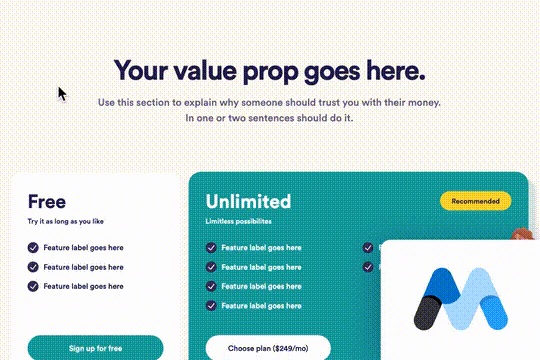
This is a revised version of Flowbase's pricing table with fun hover interactions, removing/cleaning up class names and updating the page copy. Other changes include changing of font sizes and adding the Memberstack functionality to all of the buttons. This is a two plan pricing table with the focus getting a user to join for free while still showing the unlimited paid plan. The page also includes a feature table below the pricing table.
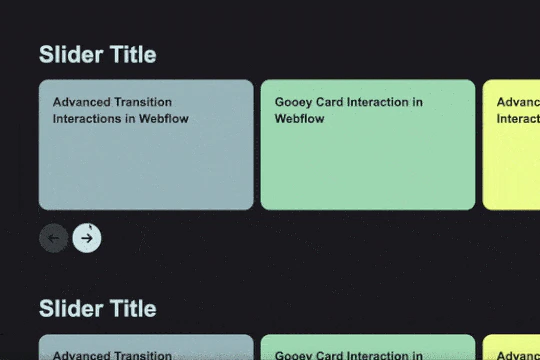

A simple and easy to implement dark and light mode toggle for Webflow. This method was built using Webflow's native interactions and doesn't require any custom code.

Stop those pesky videos from playing in the background when the modal or popup has been closed by the user. Apply this to your sites body code and view the instructions in the following loom video: https://www.loom.com/share/ae76cd611f604de5af8cffea8b25efa3


Want to add a range slider to Webflow? Here's a way to add a range slider inside Webflow using Finsweet's Attributes. This slider can be used for either forms or filters on your Webflow projects. Please note that you'll need to add a custom JS library found within the head tag in order for this to work properly. Also check the documentation in order to ensure you've set this up correctly.

A great way of adding draggable background maps to your Webflow site. This is an example of a topographic map of Switzerland although could be adapted to other maps. This is easy to embed to your Webflow site.

Here's a walkthrough and tutorial of how to build a contact form in Webflow. View the tutorial here: https://www.youtube.com/watch?v=H8-fbOJpC5I
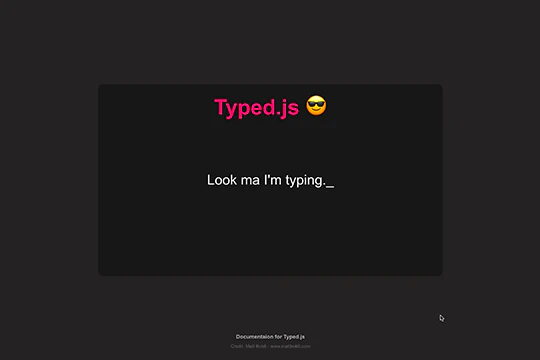

Add a typewriter effect to your Webflow site via this Typed.js example. This cloneable showcases the ability to add typed words that appear and then appear to be deleted between each word. The effect utilizes Typed.js and some custom CSS. You can customize the Typed.js typing effect by updating the words, the typespeed, the backspeed, the backdelay, the startdelay, looping, cursor and more all within the custom code found within the page settings. Typed.js has been popular for some time and this cloneable will help you understand how to implement it on your next Webflow project.

Here's a technique to lock the page scroll on a modal pop up window in Webflow. This is useful to ensure that the page doesn't scroll when a popup CTA modal window or mobile navigation modal is shown on your Webflow site.


A unique interaction in which images pop up an trail the mouse cursor when moved on the page. A fun technique that could be implemented a number of ways to create various dynamic effects to your Webflow site.

Here's a way to create a layered, blurred div effect in Webflow. The blurred div sits on top of another div and creates a transparent layer that blurs the bottom div. A great way to add depth to your Webflow site and opens Webflow up to all types of possibilities.

Here's a way to add a background image change on link hover to Webflow. Using a simple trick to change the background image on mouse hover dynamic items list. This is all done with native Webflow capabilities without any scripts.
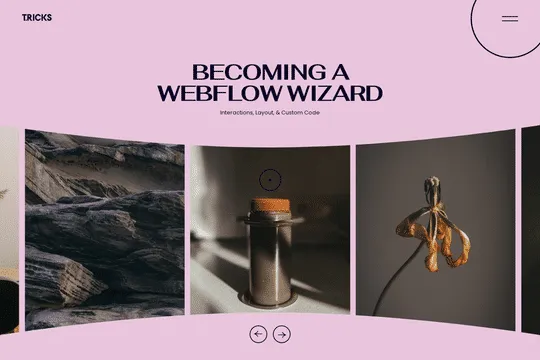
A 3D Splide.js CMS draggable slider for Webflow. This 3D draggable slider created with Splide.js allows you to integrate Webflow's native CMS solution with Splide.js to create a dynamic and interactive slider with Webflow. The slider features navigation arrows and the ability to drag between each slide item, perfect for desktop or mobile. There's also a 3D effect with the slides entering and exiting the viewport. The Splide.js slider allows you to customize the number of items per page, per move as well as various break point functionality for mobile responsiveness. You're also able to modify the delay, duration and easing in and out. This example is infinite looping so that there's no beginning or end and the users can navigate endlessly between each individual slide that is powered by Webflow CMS.


Using Webflow's 3D transform, custom animations and a bit of JS you're now able to recreate the Star Wars intro on your Webflow site. Please note that there's custom code required for this to work which you can find within the closing body tag of the Page Settings. There are two scripts, one that powers the music and the other that powers the moving stars.

A great way of adding a date/calendar picker to forms or other elements within Webflow. Provides the essentials to get it added in 30 seconds and easily configurable based on your own style. Inherits the <body> typography. Please note that the date picker does require custom code found within the Page Settings. This utilizes Datepicker.js to create the date picker and the styling allows you to further customize the styling.

A very fun way of adding a backlight effect to Youtube video embeds on your site. This currently works in Chrome and Firefox and needs a bit more tweaking to fully work in Safari. This works via native interactions and some custom code. Easy to integrate and get working on your site.


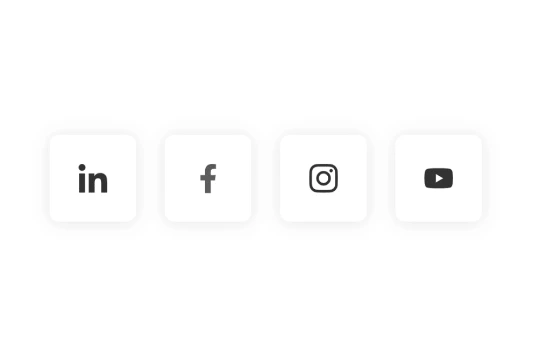
Social media sharing buttons with hover interactions for Webflow. These social sharing buttons feature a unique aspect in which the entire background color changes on hover over to the relevant social media sites color scheme. A simple, yet fun social sharing idea. This was built entirely from Webflow interactions and doesn't require any additional code.

A unique collapsing text Webflow interaction that utilizes native Webflow interactions and custom CSS for the text shadow effect. This is perfect for hero sections or areas where you'd like to add unique text animations. This utilizes Webflows page trigger interaction with when page starts loading. Using a few different divs and two text elements you're able to produce this looping effect on your Webflow site. A powerful yet easy to implement interaction that will make any Webflow site pop.


Tabs can be a pain to create in Webflow. With this cloneable you can get started building your tabs faster and built on top of the client first system by Finsweet. A perfect way to add tabs to Webflow quickly and easily.

A beautifully designed login or sign up page with a toggle between signing up and logging in forms. This full page design includes backgrounds, input designs, button, background video and much more.

A great way of displaying videos within a mobile iPhone mockup. You can design the story layout and upload multiple videos into one mobile frame.


A creative, yet difficult to implement variation of Webflow accordions that utilizes a combination of position sticky, CSS Grid and the power of mix-blend-mode to create the powerful overlays. This is primarily no-code but does include bits of JS to achieve the link jumps and another one to reset the scroll position when the item has been closed. A few notes is that this doesn't work well in Safari and adding new items means that you need to add more JS in the page settings. Jump links are positioned to absolute elements within each dropdown, so you'll need to add new ones with new IDs for those to work. The interaction animations are really well done, when a user opens and expands an accordion item the title pops to the top of the page and the content comes in from the bottom. It also allows the user to bounce around various sections of each accordion item as previously mentioned.


A unique example of various text related interactions in Webflow. When the site loads each letter is gradually shown, scrolling down the page you're then presented with further interactions via the in-view and out of view interactions with offset to create a nice effect while scrolling. This is based entirely on Webflow's native CMS system. There is some custom CSS in order to have the customized Webflow CMS items and for cursor events.

Here's a way to achieve a unique hero section using grid and the Wizardry method in Webflow.

A login page featuring a sign in form with a password showing button in Webflow. This enables you to add a show password option for the password field of a sign in page on Webflow. This cloneable features a simple login page with email, unique form labels, password label and field, stay logged in checkbox and sign in button. This technique uses some custom javascript which can be found at the bottom of the cloneable of the page as an embed.

An excellent way of adding a customer review/social proof CMS component to your Webflow site. These reviews work perfectly with Webflow's native CMS and is also responsive and mobile friendly.

A demonstration of parallax scrolling movement interaction examples within Webflow. A perfect way of understanding how to build custom parallax scrolling effects within your Webflow site.

An add to cart hover button animation for Webflow. When a user hovers over the Add to Cart button a shopping cart icon slides in from the right side. This helps users understand the action taking place on the button and helps add a new level of dynamic buttons to your Webflow site.
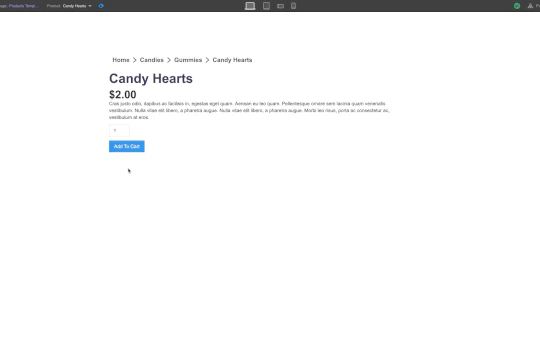

Looking to create breadcrumbs for your Webflow ecommerce CMS? If you have more than a handful of products in your Webflow ecommerce site you'll need a way to organize those. Here's a free Webflow cloneable to help you understand how to create breadcrumbs for your ecommerce projects.

A beautiful Swiper.js overlapping cards slider built for Webflow. This Swiper.js slider is perfect for a hero section or features section of a site. When a user navigates between slides the top card is removed and the next card in line comes into view. The cards are stacked with various offsets so it looks like playing cards. There are text transitions for each text associated with the slide. This slider was created using Swiper.js and utilizes Webflow's native CMS collections. This allows you to dynamically generate slides based on the collection list items. This requires custom code so be sure to look at the pages custom code for the Swiper.js code. You can modify the Swiper.js code to include grabcursor, looping, and utilizing arrows to navigate between slides.

This is a unique interaction in which images reverse movement based on mouse location in Webflow. There are two images facing opposite directions on both sides of the screen. When ou move your mouse on the x axis the images get further and closer apart. It's a very simple effect but can be modified to create endless opportunities. This used two identical images to save on load time and one was flipped horizontally on the y axis. Both images are set to overflow hidden. Then in interactions a mouse move in viewport interaction was applied to both images and they move on the x-axis.


A fun, cartoon styled 3D animated button that bounces on hover/click. A fun effect for your Webflow site and a way to liven up a typical button.

A fun way of changing the gradient background color via mouse in Webflow. Please note this will not work in Firefox. This is a native Webflow interaction and just a single line of CSS code. The CSS controls the pointer events to none while the interactions control the location of the blur and it's surrounding effects.


A simple yet effective CSS infinite marquee for Webflow featuring hover pause capabilities. Easily adjust the animation duration via the embed element with CSS. While you could create the marquee effect with Webflow's native interactions this allows you to bypass added JS through a simple CSS embed allowing for greater control over the marquee via this CSS script.

Looking to create a Quiz in Webflow driven by your CMS? Here's a technique for creating that. Watch the tutorial here: https://www.youtube.com/watch?v=2OUj7dPn3Ng